Ghid de Instalare
Ghid Pas cu Pas: Cum să configurezi IPTV
Pregătește-te să renunți la cablu și să intri în revoluția IPTV! Acest ghid complet îți va arăta pas cu pas cum să configurezi IPTV și să începi să urmărești emisiunile și filmele preferate în doar câteva minute. Fie că ești nou în lumea IPTV sau doar cauți o configurare rapidă și simplă, acest ghid te acoperă cu tot ce ai nevoie. Hai să începem!
Windows Method :
Download IPTV Smarters app through this URL: https://www.iptvsmarters.com/download?download=windows
Mac Method :
Download IPTV Smarters app through this URL: https://www.iptvsmarters.com/download?download=mac
După instalare, deschide aplicația și folosește datele de autentificare primite (Xtream Codes API).
- From the home screen, hover over Find option.
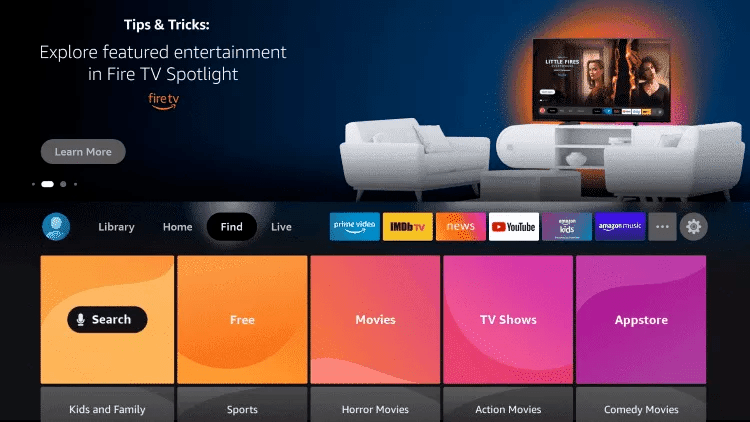
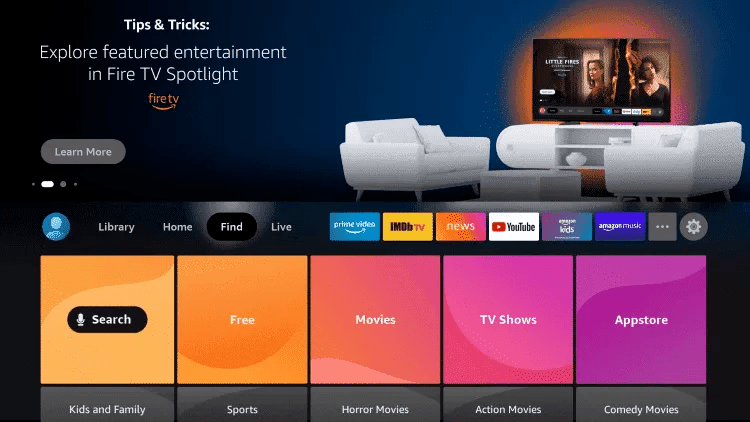
- Click Search.
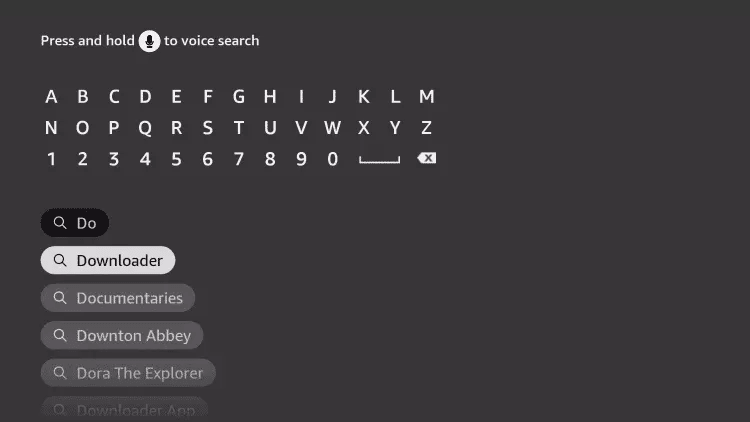
- Search for and select Downloader.
- Choose the Downloader app.
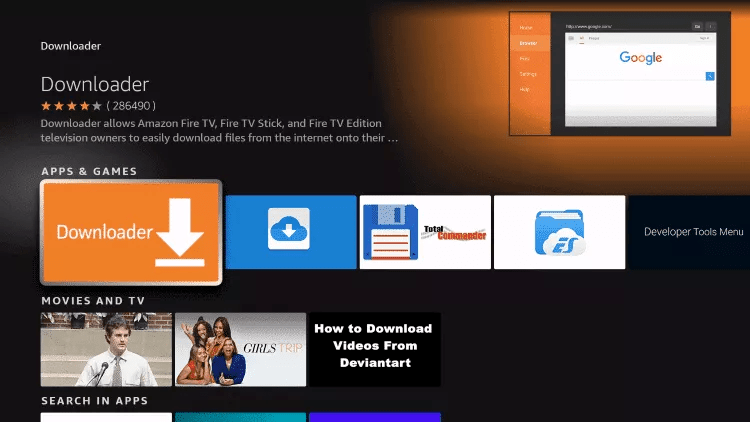
- Click Download.
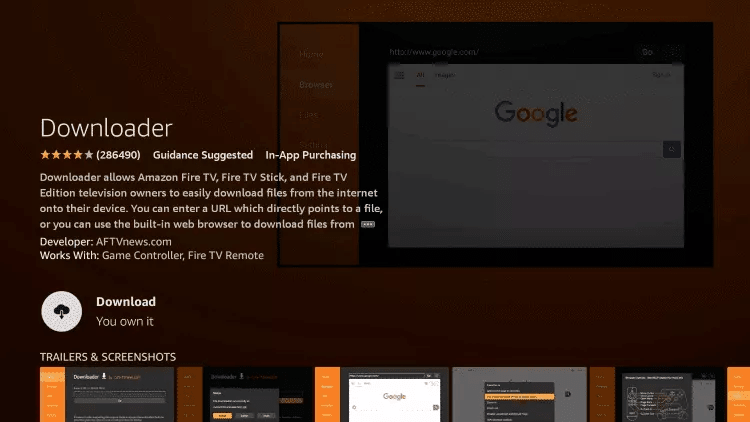
- Once installed click Open.
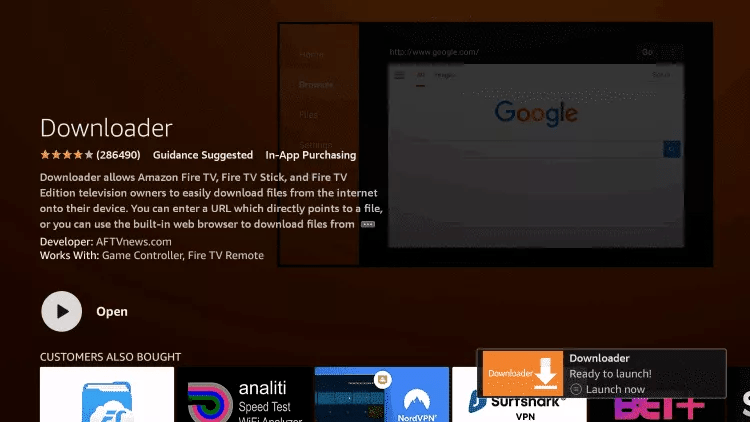
- Return to home screen and open Settings.
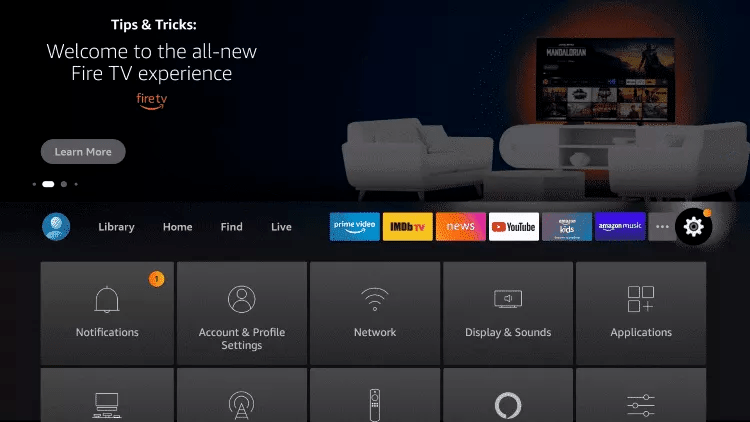
- Click My Fire TV.

- Choose Developer options.
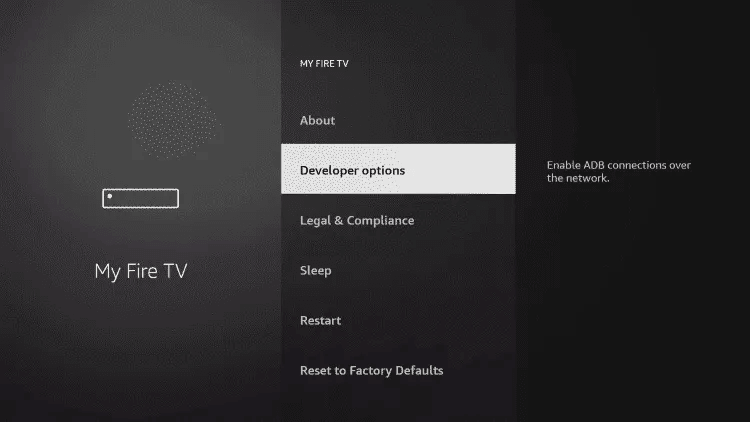
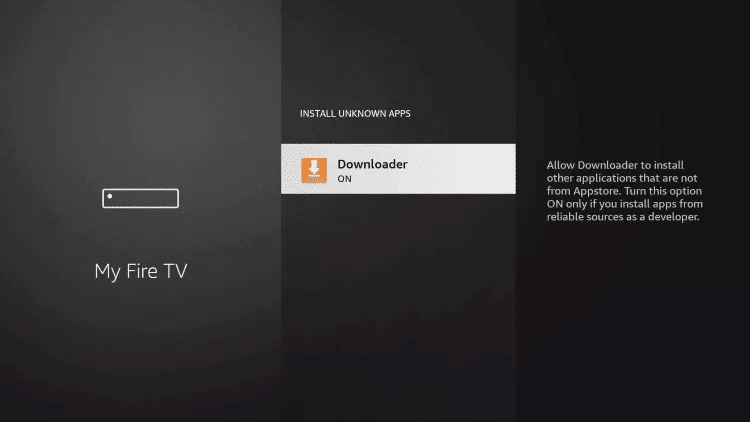
- Click Install unknown apps.

- Find Downloader and click it.

- Turn Unknown Sources to On.
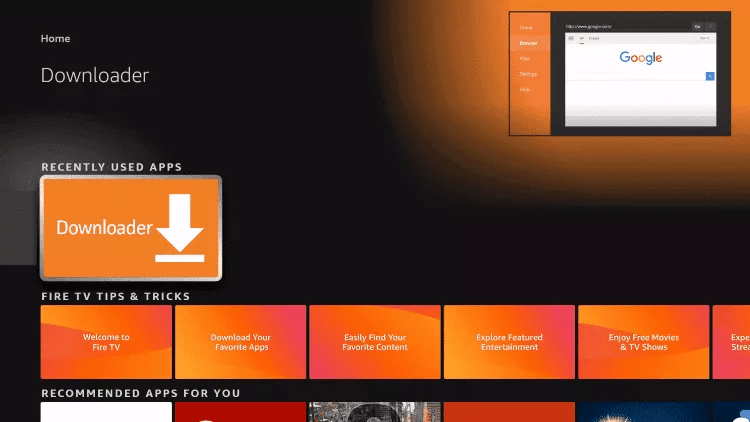
- Launch Downloader.
- Click Allow.

- Click OK.

- Type URL: https://www.iptvsmarters.com/smarters.apk and click Go.
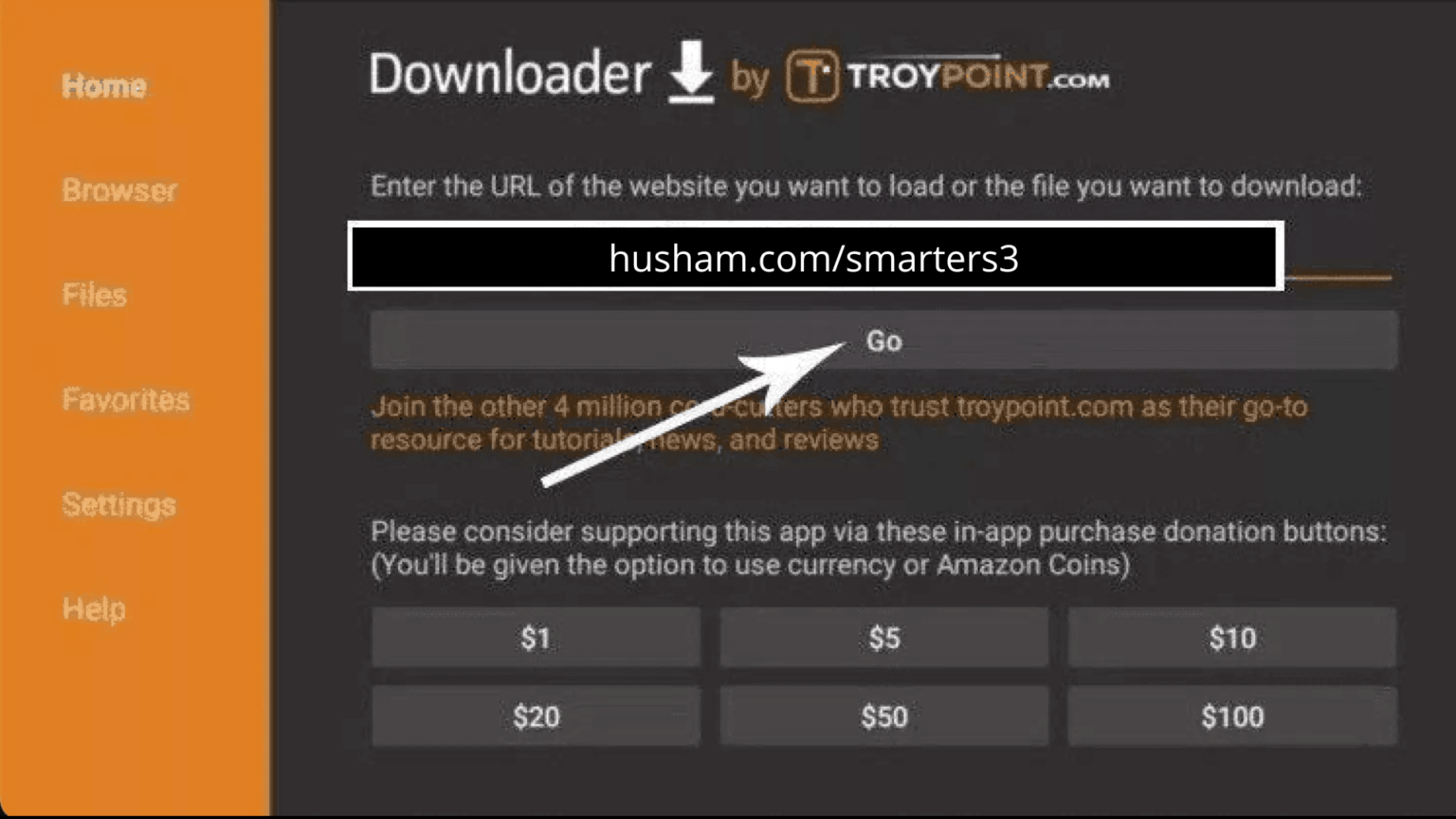
- Wait for download.

- Click Install.
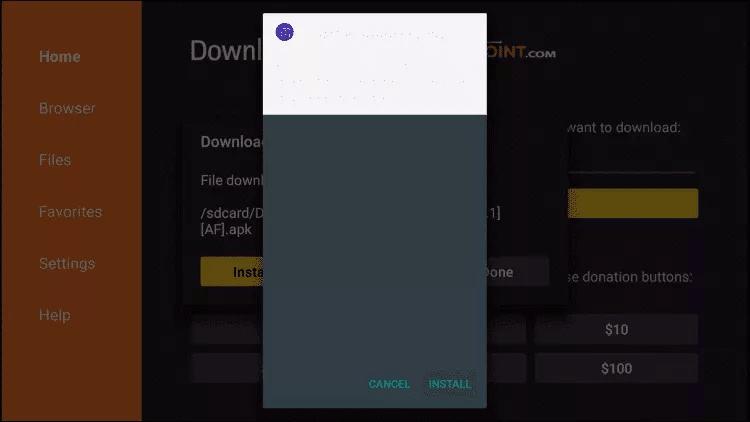
- Click Done.
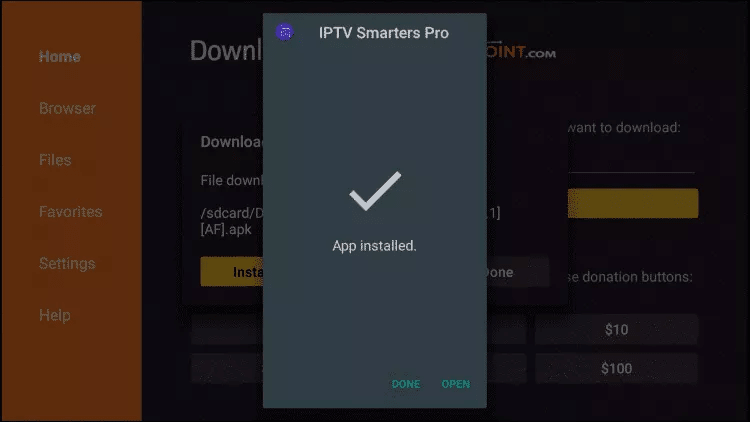
- Open IPTV Smarters then select Login with Xtream codes API.
- Enter login details that we sent you via WhatsApp / Email / Chat.
- Type URL: https://tivimates.com/tiviapk and click Go.
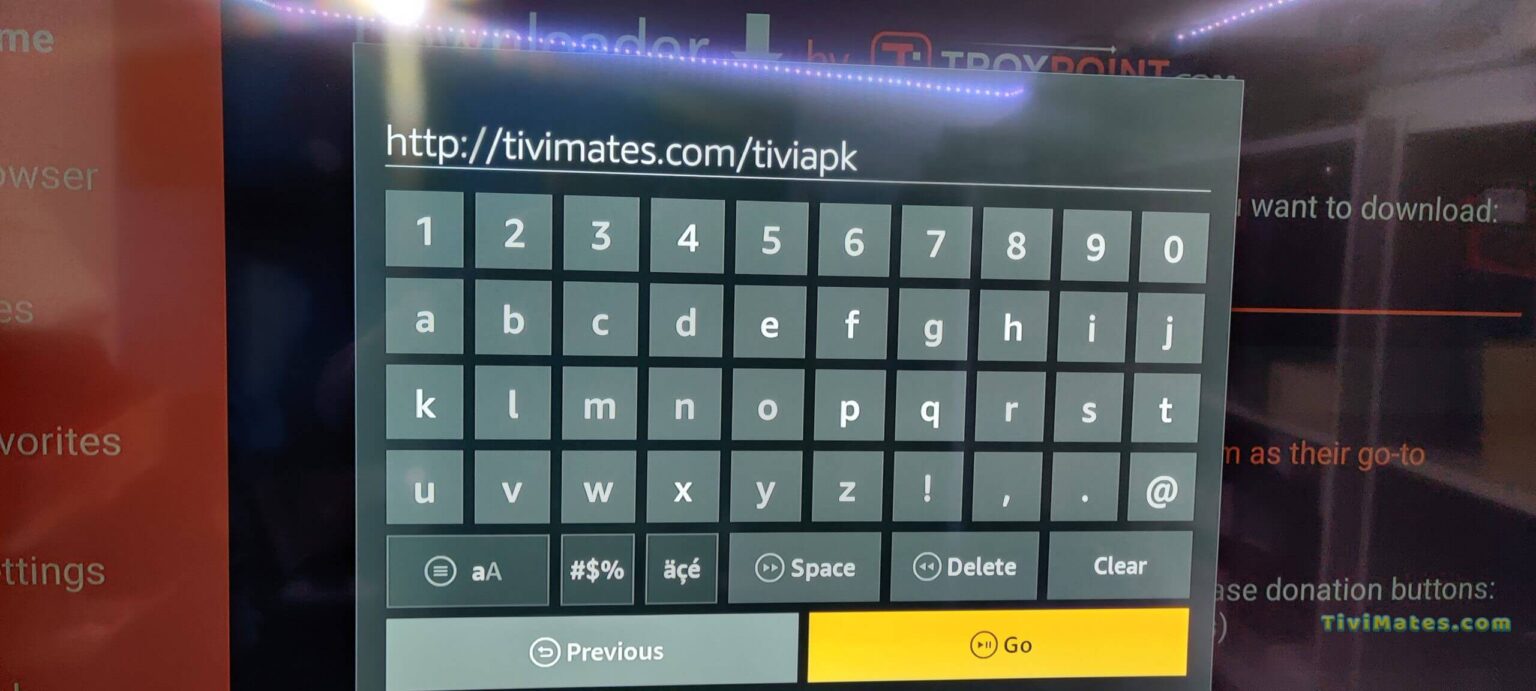
- Wait for file to download.
- Click Install and once completed, open the app.
- Click "Add Playlist" then choose "Xtream codes".
- Enter login details that we sent you via Telegram / Email / Chat.
Step 1: Download IPTV Smarters app: https://www.iptvsmarters.com/smarters.apk
Step 2: Open the app once downloaded and enter login details. 
Step 3: Enter login details provided after subscription. Click "ADD USER".
Step 4: Wait a few seconds.
Step 5: Click on "Live TV" icon. 
Step 6: Select channel group you want to watch.
Step 7: Click on channel name and double click on small screen to turn into full screen.
Done. Enjoy!
Step 1: Download IPTV Smarters from App Store: https://apps.apple.com/in/app/smarters-player-lite/id1628995509 sau caută "Smarters Player Lite".
Step 2: Open the app and enter login details.
Step 3: Enter login details provided. Click "ADD USER".
Step 4: Wait a few seconds.
Step 5: Click "Live TV" icon.
Step 6: Select channel group.
Step 7: Click channel name then double click to full screen.
Step 8: To add EPG no need to add any EPG url, just click "Install EPG". Done.
Step 1: Download SetIPTV / NetIPTV / Smart IPTV from your TV store (Samsung, LG etc).
Step 2: After installation, open the app and you will find MAC Address on screen. 
Step 3: Send us the MAC address via WhatsApp / Email / Live Chat.
Step 4: After few minutes, restart/reboot your TV and open the app. Done.
Step 1: Send us the MAC Address of your MAG via WhatsApp / Email / Live Chat.
Step 2: After making the payment, we will send you the portal link.
Configurează portalul în setările MAG Box-ului și bucură-te de IPTV.
Far far away, behind the word mountains, far from the countries Vokalia and Consonantia, there live the blind texts. Separated they live in Bookmarksgrove right at the coast